SERP tool · live
Free SERP Checker & Snippet Preview Tool
Preview your Google title and meta description, check keyword fit, and use a manual SERP analysis workflow to decide what kind of page you need to compete.
Google preview
United States · desktop
Example
example.com/tools/serp-checker
Use this free SERP checker to preview your Google snippet, check keyword fit, analyze search intent, and improve your title and meta description.
Snippet checks
SERP analysis
SERP checker
What is a SERP checker?
A SERP checker helps you review the search results page for a target keyword. This free SERP checker focuses on the parts you can evaluate without paid data: snippet quality, search intent, page type, country/device context, and competitor patterns.
SERP snippet preview
How this Google snippet preview works
Enter a title tag, meta description, URL, keyword, and country. The tool shows a Google-style preview, highlights keyword matches, estimates truncation risk, and turns the inputs into a practical SERP analysis checklist.
SERP analysis tool
How to analyze SERP intent before creating a page
Look at what the current top results reward. If tools rank, build a useful tool. If service pages rank, make the commercial offer clear. If guides dominate, answer the topic deeply before pushing a conversion. Matching page type to intent is often the difference between a page that qualifies and a page that competes.
Local SERP checker
Why country and device matter
Google results can change by country, language, and device. Use the country and desktop/mobile settings to frame your manual review, then compare whether the result type, title language, and click appeal fit the market you actually want to target.
Image SEO
How to use SERP output images and alt text
Screenshots, annotated snippets, and SERP analysis checklists can make a page more useful when they explain something the text alone does not. Use descriptive alt text that states what the image shows, such as the keyword, SERP preview, country, or recommendation being illustrated. Avoid repeating the same keyword unnaturally across every image.
Screenshot 01
SERP snippet preview in context
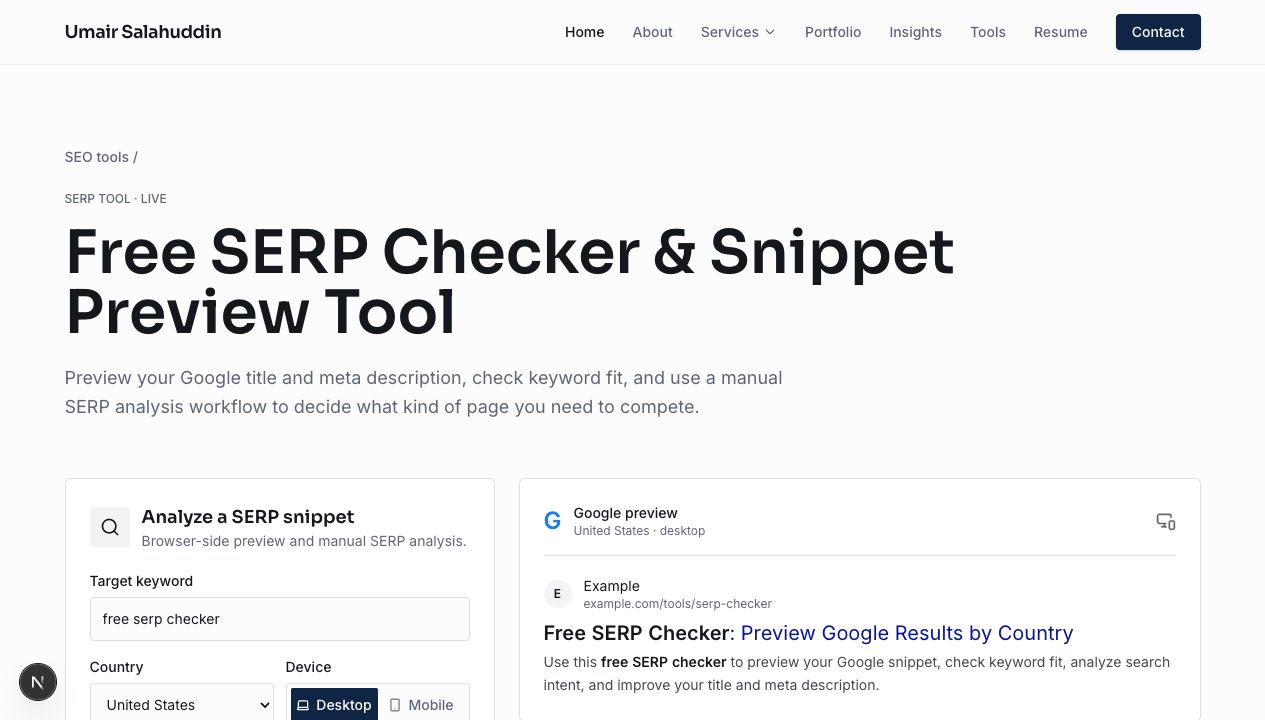
Use a product-style screenshot like this to support terms such as free SERP checker, SERP snippet preview, and Google snippet preview without forcing the keyword into every sentence on the page.
Screenshot 02
Recommendation output and next steps
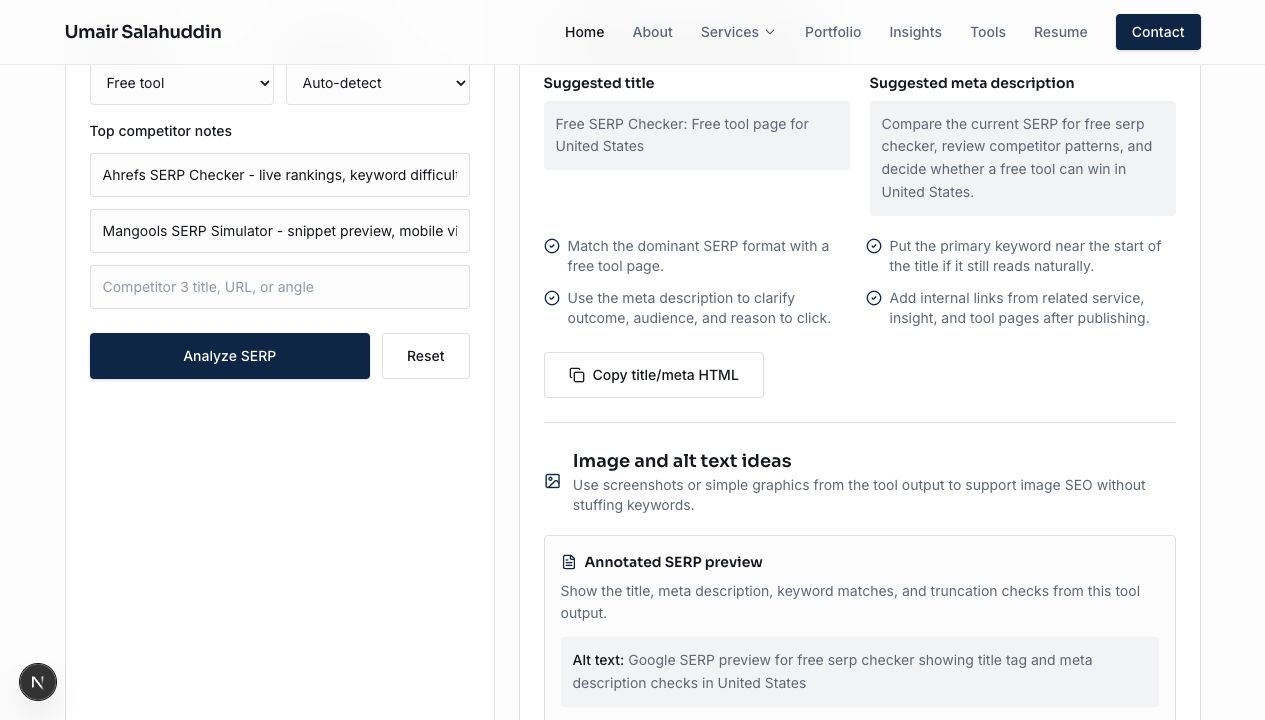
This image supports the analysis side of the tool by showing suggested titles, meta descriptions, and the kind of actionable recommendation output users can carry into briefs and content refreshes.
Existing pages to support this tool
Future guide topics to link here
- How to analyze a SERP before creating a page
- Free SERP checker workflow for content briefs
- How to judge SERP difficulty without paid tools
- Title tag and meta description examples for service pages
- Local SERP analysis by country, language, and device
Is this a live Google SERP checker?
No. This first version does not fetch live Google results or use paid APIs. It is a browser-side SERP preview and manual analysis tool for improving title tags, meta descriptions, and SERP strategy.
What is the difference between a SERP checker and a snippet preview?
A snippet preview shows how your title, URL, and meta description may appear. A SERP checker also considers the keyword, country, intent, ranking page types, and competitor patterns.
Can I use it for title tag and meta description QA?
Yes. The tool checks title and meta description length, keyword visibility, desktop/mobile context, and click clarity before publishing or refreshing a page.
How should I use competitor notes?
Paste the title, URL, or main angle from the top ranking pages. The tool uses that input to help frame difficulty and recommend the page type you may need to compete.
Need help turning SERP analysis into a page plan?
I help teams decide what kind of page to build, how to structure it, and how to connect it to technical SEO, content strategy, and internal linking.